
Handle support requests without losing context.
FlowQi Support Tool combines ticketing, CRM context, and team collaboration so every request reaches the right owner faster.
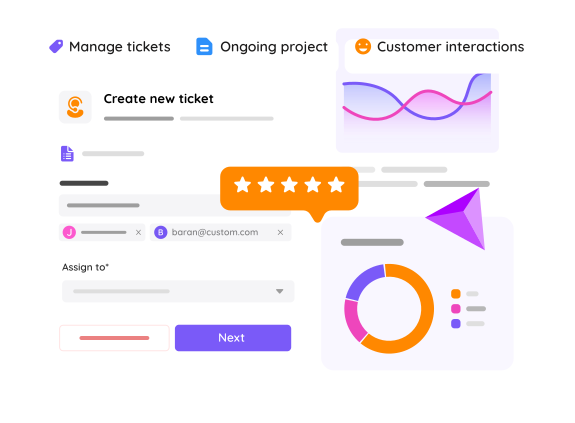
A lean support workflow
Keep support simple: intake, routing, and resolution in one connected flow.
Capture every request
Collect customer issues in one support workspace and keep ticket history in one place.
Route to the right team
Use routing rules and linked tasks to involve specialists without manual forwarding.
Close the loop
Track progress, update customers, and resolve tickets with full context available.
Support conversations backed by customer data
Give each support teammate access to relevant customer context so replies are faster and more accurate.
- View ticket and customer context together
- Keep communication consistent across teammates
- Reduce repeated questions for customers

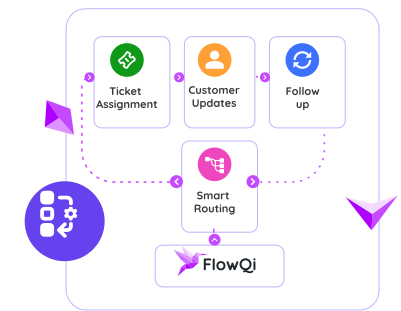
Automate routing and follow-up actions
Assign incoming requests, trigger updates, and keep tickets moving without manual triage on every step.
- Route tickets by type or priority
- Trigger follow-up tasks automatically
- Improve SLA consistency across queues
Common questions about FlowQi Support Tool
Can Support Tool work with CRM data?
Yes. Support tickets can be handled with connected customer context so teams respond with better accuracy.
Can I involve other teams in complex tickets?
Yes. You can create linked tasks and involve the right colleagues directly from the support workflow.
Does it support automation?
Yes. You can automate routing and follow-up actions to reduce manual handoffs.
Ready to run support with less manual effort?
Use a focused setup that combines ticketing, context, and collaboration in one place.