
Create forms in minutes. Route work automatically.
Use forms for leads, support requests, onboarding, and internal intake. Submissions can trigger tasks and follow-up actions in your FlowQi workspace.
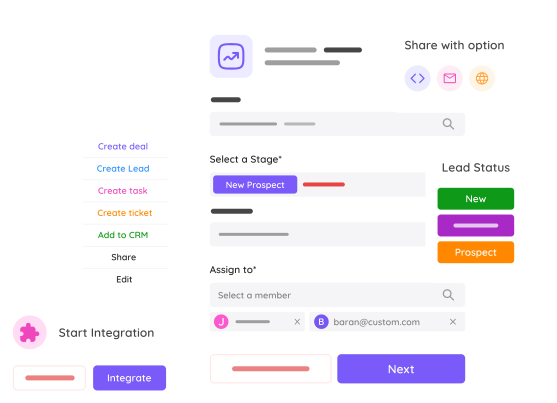
A lightweight intake flow
Start simple and connect form submissions to the right team workflow.
Build your form
Create branded forms for contact requests, support, onboarding, or internal operations.
Share anywhere
Publish via link, email, or embed on your site so people can submit from any channel.
Trigger follow-up
Route submissions into FlowQi so the right team gets visibility and next actions immediately.
Built for real business workflows
Keep form intake useful by connecting it directly to your daily operations.
Lead and request capture
Use one system for sales leads, service requests, and internal process intake.
Automatic routing
Trigger follow-up tasks after each submission so ownership is clear from the start.
FlowQi integration
Connect submissions to your workspace context instead of managing separate inbox threads.
Flexible sharing
Distribute forms by direct link, email, or web embed depending on your audience.
One intake surface for multiple teams
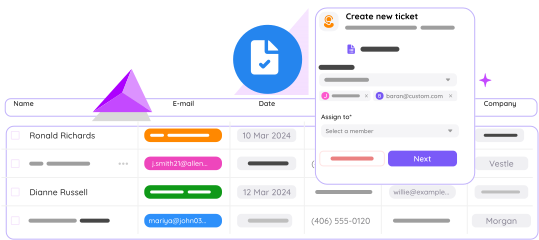
FlowQi Forms works for both lead generation and support intake. Use form context to reduce back-and-forth and speed up first response.
- Handle sales and support intake in one system
- Reduce manual triage after submissions
- Keep handoff context visible to teammates
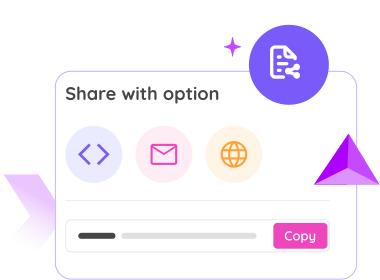
Share forms the way your audience expects
Publish your forms where they make sense: website embeds, links in campaigns, or direct outreach.
- Embed on website or app
- Share directly via link
- Use in email campaigns and follow-ups
Common questions about FlowQi Forms
Can I use FlowQi Forms for both leads and support requests?
Yes. You can run separate forms per workflow while keeping submissions in one operational system.
How can I share a form?
You can distribute forms via direct link, email, or by embedding them on your website or app.
Does FlowQi Forms support follow-up workflows?
Yes. Submissions can be routed into your FlowQi workspace so teams can take action quickly.
Need forms without extra tooling overhead?
Start with a focused setup and connect intake directly to execution inside FlowQi.