
What Is Capacity Planning? Definition, Types, Steps, Formula and Example

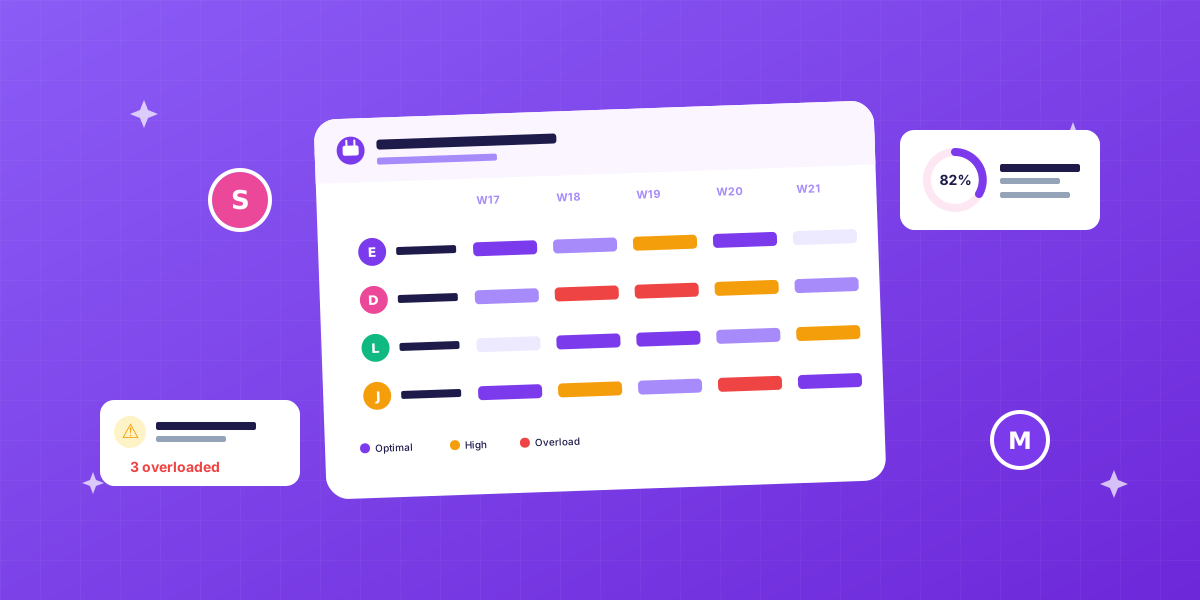
What is capacity planning?
Capacity planning is the process of checking whether the demand for work fits the capacity you have, and deciding what to do when it does not. In operations management that capacity is machines and floor space. In a service business it is people and their hours, which is what this page is about.
It answers three questions every week:
- How much work is coming in, and how many hours does it need?
- How much capacity do we have, per person and per skill?
- Do they match? And if not, what changes: the plan, the team or the promise to the client?
For an agency that means knowing who has 32 hours available next week and who has 12, which projects are running and how many hours they still need, which skills those hours require, and when you can take on a new client without burning anyone out. It is not filling a calendar. It is checking if there is room first, before you commit. Filling the calendar comes after, and is called resource allocation.
The three types of capacity planning
Most sources split capacity planning by time horizon. The questions differ per level, and so does the person who answers them.
| Type | Horizon | The question | Who decides |
|---|---|---|---|
| Strategic (long-term) | 1 to 3 years | Which services do we sell, and how many people do we need for that? | Owner, management |
| Tactical (medium-term) | Next quarter | Which projects do we take on, and do we hire or subcontract? | Operations, sales |
| Operational (short-term) | This week, next week | Who does what, and who is overbooked? | Project or resource manager |
You will also see a split by what is being planned: workforce capacity (people), product capacity (units a line can make) and tool capacity (machines, licences, rooms). For a business that sells hours, the horizon split is the one you work with. The weekly level is where the money is won or lost, and it is where the rest of this page focuses.
Capacity planning strategies: lead, lag or match
Three classic strategies for adding capacity, from operations management, and all three apply to hiring.
- Lead strategy: add capacity ahead of expected demand. You hire before the deal is signed. Risky, but the only way to grow fast without turning work away.
- Lag strategy: add capacity only when demand is proven. Safer for cash, but you miss opportunities and overload the team while you wait.
- Match strategy: add capacity in small steps as demand moves. For agencies this usually works best, because client demand shifts quarter to quarter.
Most agencies run a match strategy with the occasional lead moment: a senior hired for a pipeline that is likely, not certain. Whichever you choose, the weekly capacity plan is what tells you when the strategy is due.
Why capacity planning matters
Because you sell time, and time is finite. Take on too much and you burn the team out. Take on too little and you leave revenue on the table. Capacity planning finds the middle, and bases it on numbers, not on gut feel.
The three failure modes when you skip it
1. Overbooking. You said yes to a project without seeing that Mark is already at 50 hours next week. Mark works the weekend, misses the deadline, or eventually quits.
2. Underutilization. Lisa has 12 free hours this week, but nobody saw it. Those hours are gone; yesterday’s free capacity cannot be billed tomorrow.
3. Skills mismatch. A senior on a task a junior could do, or a generalist on work that needed deep expertise. Either way, money or quality leaks.
None of the three shows up on an invoice, which is why they go unnoticed for months.
Capacity planning vs project planning vs resource management
These terms get used interchangeably. Quick reference:
| Term | The question it answers |
|---|---|
| Project planning | What happens when? |
| Capacity planning (this page, and the module) | Can we actually do this? |
| Resource management | Who specifically gets each task? |
| Workload management | Who is overloaded this week, and who has room? |
| Workforce planning (the strategic type above) | Do we need to hire? |
| Utilization rate | What share of available hours is being used? |
In an agency you need all of them. A good platform handles them in one view.
The capacity planning formula
Two numbers and the difference between them. Everything else on this page is about getting those two numbers right.
Available capacity = people × contract hours × (1 − leave and sick share) × target utilization
Required capacity  = Σ hours the planned work needs in the same period
Capacity gap       = available − required   (negative = overbooked)
And the check you run afterwards:
Capacity utilization = booked hours ÷ available hours × 100
Worked example, one week. A team of six on 40-hour contracts:
| Step | Calculation | Hours |
|---|---|---|
| Contract hours | 6 × 40 | 240 |
| Minus leave and sick days (12%) | 240 × 0.88 | 211 |
| Bookable at 80% target utilization | 211 × 0.80 | 169 |
| Required by the planned projects | 60 + 45 + 40 + 40 | 185 |
| Capacity gap | 169 − 185 | −16 |
The team is overbooked by 16 hours, about 9 percent, and that is with the buffer already spent. The options are the usual four: move 16 hours to next week, bring in a freelancer, push a deadline, or say no to the smallest job. What you cannot do is plan against the 240 and hope.
Why 80 percent and not 100: the remaining 20 percent goes to internal meetings, admin, training and the revisions nobody planned. Plan to 75 to 85 percent and protect the rest. It looks like waste; it prevents the weekend work.
Capacity planning example: an agency week
Here is the same idea per person, which is how a resource manager actually looks at it. Available hours are contract hours minus leave, times the 80 percent target.
| Person | Contract | Leave | Available | Booked | Free (or over) | Utilization |
|---|---|---|---|---|---|---|
| Lisa, designer | 40 | 0 | 32 | 36 | −4 | 113% |
| Mark, developer | 40 | 8 | 26 | 26 | 0 | 100% |
| Sara, developer | 32 | 0 | 26 | 14 | 12 | 54% |
| Tom, strategist | 40 | 0 | 32 | 30 | 2 | 94% |
| Team | 152 | 8 | 116 | 106 | 10 | 91% |
The team total looks fine at 91 percent. The rows do not: Lisa is over, Sara has 12 hours nobody is using, and Mark has zero room for anything that goes wrong. If Sara can take the design revisions, the week works; if she cannot, because the work needs a designer, the team total was hiding a real problem. That is the skills part of capacity planning, and it is why planning by hours alone is not enough.
The capacity planning process in 5 steps
The process is the same whether you run it in a sheet or in software.
- Establish real availability per person. Contract hours minus leave, public holidays, sick-day average and recurring internal time. Nobody has 40 productive hours; a full-timer has roughly 28 to 32 hours of bookable client time per week.
- List the demand. Every running and sold project with the hours it still needs, by week and by skill. Include the likely pipeline at a percentage, not at zero or at 100.
- Compare, per week and per skill. This is where the gaps and the overbookings appear. Look at rows, not just the team total, as the example above shows.
- Decide what closes the gap. Move work, change a deadline, bring in a freelancer, hire, or say no. Write the decision down with the plan, so next week you know why it looks the way it does.
- Review weekly. A capacity plan that is updated monthly is documentation. Logged hours from last week tell you whether the estimates were right, and that feedback is what makes the next plan better.
The 5 essentials of good capacity planning
1. Realistic availability
Vacation, sick days, internal meetings, training, admin: all capacity that is unavailable for client work. Plan for 40 and you will hit walls.
2. Skills, not just hours
A UI designer is not a copywriter, even if both have time. Good capacity planning matches work by hours and by skills.
3. Buffer for the unexpected
A team booked at 100 percent has no room for revisions, urgent requests or a sick colleague. The 75 to 85 percent target is the buffer.
4. Team-wide visibility
A plan only the PM can see does not work. Everyone needs to see what is booked, or someone schedules a sales call in the middle of heads-down project time.
5. Connection to billing
Capacity disconnected from rates and invoicing is a schedule, not a management tool. Only when you see per project “40 hours booked, 32 logged, $4,000 invoiced” do you have margin control. That link is what separates a planner from a resource management platform.
A capacity planning template you can copy
For a team of two to ten people, a sheet works, as long as it has the right columns. One row per person, one block per week:
| Column | What goes in it |
|---|---|
| Person, role or skill | So you can filter the plan by skill |
| Contract hours | From the contract, not from memory |
| Leave and holidays | Hours, this week |
| Available hours | (Contract − leave) × 0.8 |
| One column per project | Hours booked on that project this week |
| Booked total | Sum of the project columns |
| Free or over | Available − booked; negative means overbooked |
| Utilization | Booked ÷ available |
Add a conditional format that turns negative “free” cells red and you have a working capacity plan. It stops working at about ten people or fifteen projects, when every change means editing three sheets and nobody trusts the numbers anymore. At that point look at the tools: our comparison of resource management software puts seven of them side by side, seat minimums included, and the FlowQi capacity planning module does the same plan next to the logged hours and the invoice, so the plan and the reality live in one place.
The role of AI in capacity planning
AI does not make the plan. It watches it and flags things on time: “Lisa is at 45 hours next week”, “Project X is 8 hours over budget”, “Sara has 12 free hours that match the design backlog”. Good AI in capacity planning suggests a reassignment and asks for confirmation; it never moves people on its own. In FlowQi that job belongs to Hummy, the AI teammate: watching, flagging, suggesting, while you decide.
Capacity planning in short
- It matches incoming work to the people, hours and skills you have, before you commit
- Three types by horizon: strategic, tactical, operational; three strategies for adding capacity: lead, lag, match
- The formula: available = people × hours × (1 − leave) × target utilization, compared with the hours the work needs
- Realistic availability is 28 to 32 hours per full-timer, and the target is 75 to 85 percent of that, not 100
- Look at rows, not the team total, and at skills, not just hours
- Review weekly, with last week’s logged hours as the check on the estimates
- A sheet works to about ten people; after that the plan has to sit next to the hours and the invoice
Capacity planning is not a luxury. It is how you stop your team burning out and stop leaving revenue on the table.